Turn TrendSpider’s AI-powered strategies into automated trades
Research, model and backtest in TrendSpider, then let an alert or strategy bot send a webhook. TradersPost receives it, applies your order rules and places the trade at your broker.
By continuing, you agree to the TradersPost Terms of Service and Privacy Policy. This site is protected by reCAPTCHA.
- Free 7-day trial
- Set-up in 3 minutes
- Paper account for testing
Alert webhookReceived

{
  "ticker": "AAPL",
  "action": "buy"
}-
Market Buy
Sent
 AAPL · 10 shares · Alpaca Live
-
Market Buy
Sent
 AAPL · 10 shares · Tradier Paper
Ask your agent how our TrendSpider integration is right for you.




See TrendSpider become an order
1. Signal source
TrendSpider Bot alert (fixed for this page)
TrendSpider · Bot alert
- Trigger
- Bot signal
- Webhook URL
- webhooks.traderspost.io/trading/webhook/…
Webhook body
{
  "ticker": "AAPL",
  "action": "buy"
}

Signal received
TrendSpider webhook · buy AAPLAccepted
Strategy settingsBuilds the order
- Symbol
- AAPL From signal
- Action
- Buy From signal
- Quantity
- 10 shares From strategy
- Order type
- Market From strategy
3 orders from one signal
| Account | Order | Status |
|---|---|---|
| Alpaca account 1 | Buy 10 AAPL | Sent |
| Alpaca account 2 | Buy 10 AAPL | Sent |
| Tradier account | Buy 10 AAPL | Sent |
A TrendSpider bot alert for AAPL reaches TradersPost and becomes a market buy for 10 shares on 2 Alpaca accounts and 1 Tradier account.
TrendSpider · Bot alert
- Trigger
- Bot signal
- Webhook URL
- webhooks.traderspost.io/trading/webhook/…
Webhook body
{
  "ticker": "AAPL 270115C200",
  "action": "buy"
}
Signal received
TrendSpider webhook · buy AAPL 270115C200Accepted
Strategy settingsBuilds the order
- Symbol
- AAPL 270115C200 becomes AAPL 270115C00200000 From signal
- Action
- Buy From signal
- Quantity
- 1 contract From strategy
- Order type
- Market From strategy
3 orders from one signal
| Account | Order | Status |
|---|---|---|
| tastytrade account 1 | Buy 1 AAPL 270115C00200000 | Sent |
| tastytrade account 2 | Buy 1 AAPL 270115C00200000 | Sent |
| Tradier account | Buy 1 AAPL270115C00200000 | Sent |
A TrendSpider bot alert for AAPL 270115C200 reaches TradersPost, which sends it to tastytrade as AAPL 270115C00200000, and becomes a market buy for 1 contract on 2 tastytrade accounts and 1 Tradier account.
TrendSpider · Bot alert
- Trigger
- Bot signal
- Webhook URL
- webhooks.traderspost.io/trading/webhook/…
Webhook body
{
  "ticker": "ESH2027",
  "action": "buy",
  "price": "6000.25"
}
Signal received
TrendSpider webhook · buy ESH2027Accepted
Strategy settingsBuilds the order
- Symbol
- ESH2027 From signal
- Action
- Buy From signal
- Price
- 6000.25 on the alert From signal
- Quantity
- 1 contract From strategy
- Order type
- Market From strategy
3 orders from one signal
| Account | Order | Status |
|---|---|---|
| Tradovate account 1 | Buy 1 ESH2027 | Sent |
| Tradovate account 2 | Buy 1 ESH2027 | Sent |
| TradeStation account | Buy 1 ESH27 | Sent |
A TrendSpider bot alert for ESH2027 reaches TradersPost and becomes a market buy for 1 contract on 2 Tradovate accounts and 1 TradeStation account. The alert also carries a price, because Tradovate sends no quotes.
TrendSpider · Bot alert
- Trigger
- Bot signal
- Webhook URL
- webhooks.traderspost.io/trading/webhook/…
Webhook body
{
  "ticker": "ESH2027",
  "action": "buy",
  "price": "6000.25"
}
Signal received
TrendSpider webhook · buy ESH2027Accepted
Strategy settingsBuilds the order
- Symbol
- ESH2027 From signal
- Action
- Buy From signal
- Price
- 6000.25 on the alert From signal
- Quantity
- 1 contract From strategy
- Order type
- Market From strategy
5 orders from one signal

| Account | Order | Status |
|---|---|---|
| Lucid Trading account 1 | Buy 1 ESH2027 | Sent |
| Lucid Trading account 2 | Buy 1 ESH2027 | Sent |
| Lucid Trading account 3 | Buy 1 ESH2027 | Sent |
+ 2 more accounts, same order
A TrendSpider bot alert for ESH2027 reaches TradersPost and becomes a market buy for 1 contract on 5 of your Lucid Trading accounts through Tradovate. The alert also carries a price, because Tradovate sends no quotes.
TrendSpider · Bot alert
- Trigger
- Bot signal
- Webhook URL
- webhooks.traderspost.io/trading/webhook/…
Webhook body
{
  "ticker": "BTC-USD",
  "action": "buy"
}
Signal received
TrendSpider webhook · buy BTC-USDAccepted
Strategy settingsBuilds the order
- Symbol
- BTC-USD becomes BTCUSD From signal
- Action
- Buy From signal
- Quantity
- 0.01 BTC From strategy
- Order type
- Market From strategy
3 orders from one signal
| Account | Order | Status |
|---|---|---|
| Kraken account 1 | Buy 0.01 BTCUSD | Sent |
| Kraken account 2 | Buy 0.01 BTCUSD | Sent |
| Coinbase account | Buy 0.01 BTC-USD | Sent |
A TrendSpider bot alert for BTC-USD reaches TradersPost, which sends it to Kraken as BTCUSD, and becomes a market buy for 0.01 BTC on 2 Kraken accounts and 1 Coinbase account.
Research and model in TrendSpider. Trade with TradersPost.
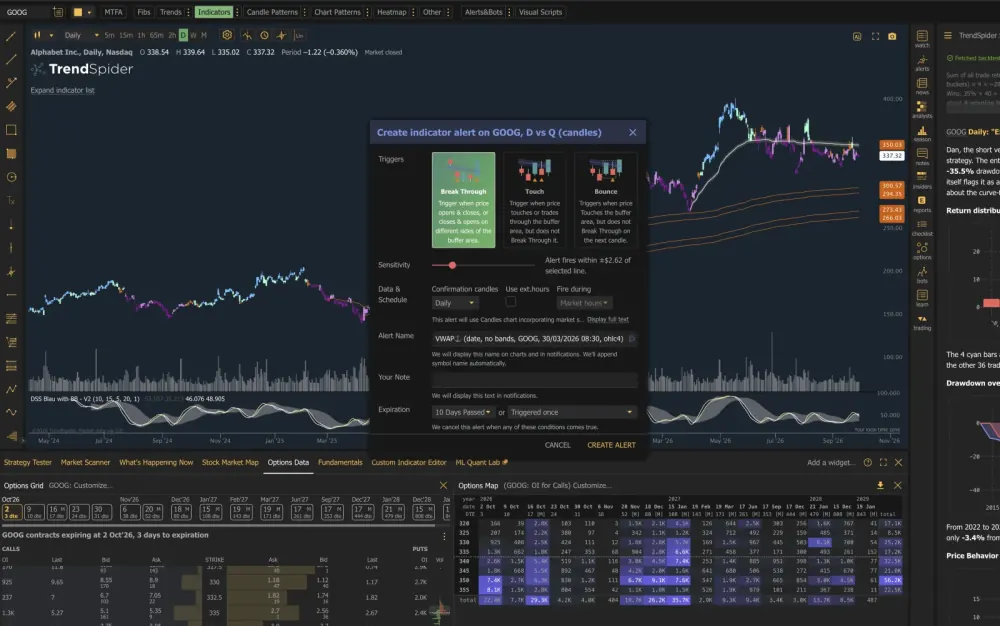
TrendSpider handles research, models, backtests and alert conditions. TradersPost starts when its webhook arrives: it applies your order rules and places the trade at your broker.
-
Alerts and strategy bots
Dynamic price alerts follow your trendlines and indicators, and multi-factor alerts combine technical, fundamental, pattern and multi-timeframe conditions. Alerts and strategy bots send the webhook that TradersPost turns into an order.
-
ML Quant Lab
Train custom machine-learning models on historical data without coding, then use their signals in charts, scans, backtests, alerts and bots.
-
Sidekick AI and Deep Research
Ask questions across charts, fundamentals, filings, options and news, research several symbols in parallel, and have Sidekick create or change alerts from a plain-language request.
-
Strategy Tester
Backtest a strategy without code, or run one across many symbols, watchlists and timeframes with the Group Strategy Tester and compare every result in one table.
-
Automated chart analysis
Trendlines, Fibonacci retracements and chart patterns are drawn for you, Raindrop charts show volume inside each candle, and multi-timeframe analysis overlays several timeframes on one chart.
-
Options data and analysis
Real-time OPRA options data feeds the options chain with Greeks, the options map heatmap and custom options indicators, which you can use in scans and alerts.
Alert or strategy bot: pick your message
The message is a short JSON payload in the webhook body. Which one you need depends on whether the signal comes from an alert or a bot.
Price or multi-factor alert
TrendSpider fills in the symbol and the last price when the alert fires.
{
    "ticker": "%alert_symbol%",
    "action": "buy",
    "price": "%last_price%"
}
Add alertName, alertNote or priceActionEvent to see where a signal came from. They are stored with it and do not change the order.
Strategy bot
Trading bots do not support variables for the ticker, so the ticker is written into the message.
{
    "ticker": "SPY",
    "action": "buy"
}
A bot trades the ticker in its message, so each ticker needs its own message.
TrendSpider: 3 things to know
-
Orders A webhook is what places the order
Sidekick, ML Quant Lab, the Strategy Tester and options analysis help you decide when to trade, but none of them sends an order. An alert or strategy bot has to send the webhook to TradersPost, which then places the order at your broker.
TrendSpider in the docs (opens in a new tab) -
Setup TrendSpider takes one webhook URL
TrendSpider allows a single webhook URL, set from your profile menu, so every TrendSpider alert and bot sends to the same TradersPost strategy.
Configure the webhook URL (opens in a new tab) -
Limits Bots need the ticker in the message
Trading bots do not support variables for the ticker, so write it into the message. Alerts can use the alert symbol variable instead.
TrendSpider trading bots (opens in a new tab)
Connect TrendSpider alerts in three steps
Use Sidekick, ML Quant Lab and the Strategy Tester to build the signal. An alert or strategy bot sends the webhook, and every one becomes a real order in your broker account.
In TrendSpider
Add a webhook to your TrendSpider alert
- Send notification
- Send email
- Send a webhook
In TrendSpider
Paste the webhook and message
{
  "ticker": "MNQ1!",
  "action": "buy",
  "quantityType": "fixed_quantity",
  "quantity": 1
}
In TradersPost
Connect your broker to the strategy
-
Add a webhook to your TrendSpider alert
Set the trigger to your bot signal and turn on Send a webhook.
-
Paste the webhook and message
Paste the webhook URL and a JSON body with plain values.
-
Connect your broker to the strategy
Link your Tradovate account. Every TrendSpider signal now places an order.
Send TrendSpider alerts to any of these brokers
The alert is the same for every connection. Each connection page lists the asset classes and order types that broker accepts.
-
 Tradovate
Futures
-
 TradeStation
Stocks · Stock Options · Index Options · Futures
-
Alpaca
Stocks · Crypto · Stock Options
-
 Interactive Brokers
Beta
Stocks
-
 ProjectX
Futures
-
 NinjaTrader
Futures
-
 Robinhood
Stocks
-
 tastytrade
Stocks · Futures · Crypto · Stock Options · Index Options
-
 Webull
Stocks
-
 E*TRADE
Stocks · Stock Options · Index Options
-
Tradier
Stocks · Stock Options · Index Options
-
 Coinbase
Crypto
-
 Kraken
Crypto
-
 Binance
Crypto
-
 Bybit
Crypto
-
 Public.com
Beta
Stocks · Stock Options · Index Options · Crypto
-
 Crypto.com
Beta
Crypto
-
 Moomoo
Beta
Stocks · Stock Options · Index Options
-
 Clear Street
Beta
Stocks · Stock Options
-
 TradersPost Paper
Stocks · Stock Options · Index Options · Futures · Crypto
Set up TrendSpider
- Documentation TrendSpider signal docs Set up a TrendSpider bot alert that posts to a strategy.
- Documentation Create a strategy Get the webhook URL every source posts to.
- Documentation Webhook JSON reference Every field a signal can send.
- Overview Automated trading bots How an alert becomes a broker order, and what usually breaks it.
- Overview Connections Every broker and prop firm a signal can reach, with what each one accepts.
- Overview All signal sources Charting platforms, indicators, your own code, automation tools and AI agents.
Ready to send TrendSpider alerts to your broker?
Free 7-day trial
Set-up in 3 minutes
Paper account for testing
By continuing, you agree to the TradersPost Terms of Service and Privacy Policy. This site is protected by reCAPTCHA.
